Satellite Town Planning Sand Table Model
Introduction
Core cities are bursting at the seams.
Housing shortages, traffic congestion, high land prices.
The solution? Satellite towns – self‑sufficient communities located near major urban centers.
But how do you plan a town that balances jobs, housing, and transit?
Digital maps miss the contextual relationships.
You need a physical model.
Specifically, a Satellite Town Planning Sand Table Model.
This guide explains why satellite towns need dedicated models.
What features matter.
And how to use them for regional growth strategies.
Let us begin.
What Is a Satellite Town Planning Sand Table Model?
It is a physical miniature of a new or expanding satellite town.
Built on a sand‑textured base.
A Satellite Town Planning Sand Table Model shows residential zones, employment centers, schools, healthcare facilities, retail, and transportation links to the core city.
Unlike a standalone town model, this one emphasizes connectivity.
Commuter rail lines, express bus routes, and highway connections are critical.
The model is used by regional planners, developers, and government agencies.
Why Satellite Towns Need a Physical Planning Model
Satellite towns are complex.
They must attract residents and employers while remaining balanced.
A Satellite Town Planning Sand Table Model helps stakeholders see the whole.
Planners test job‑housing balance.
Transportation engineers align transit schedules.
Residents understand how the new town connects to the core city.
Also, the model supports funding applications.
State and federal agencies need to visualize regional benefits.
For public engagement, a tangible model builds trust.
Future residents see schools, parks, and transit stops.
Key Features of a Satellite Town Sand Table Model
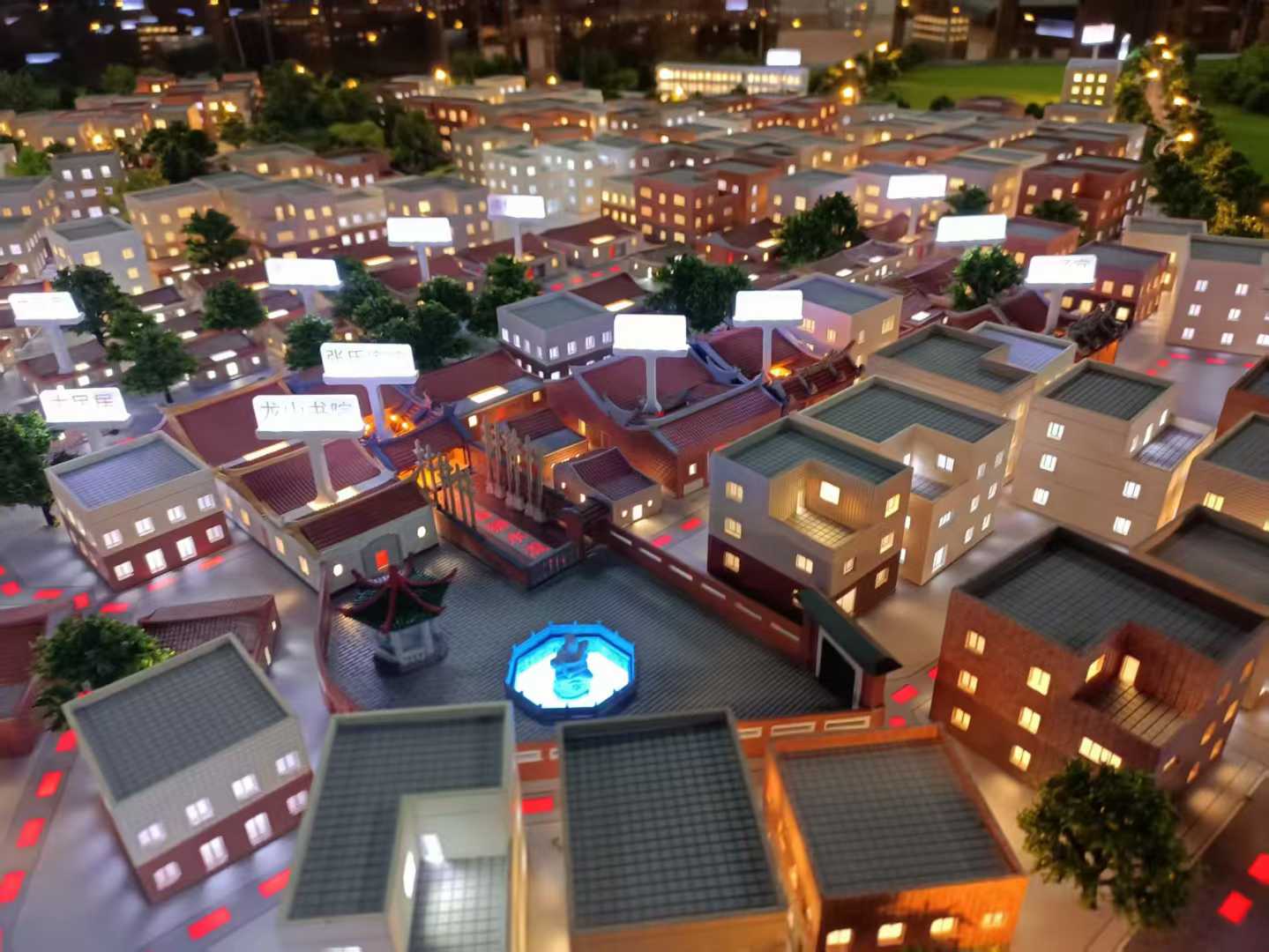
Let us break down what makes a model effective for satellite town planning.
Land Use Balance
Residential (yellow), employment/industrial (blue), commercial (red), public facilities (green), open space (light green).
Visual balance indicates a self‑sufficient community.
Connectivity to Core City
Commuter rail lines, bus rapid transit (BRT), highway interchanges.
Thick, distinct lines with travel time labels.
Internal Mobility
Local bus routes, bike lanes, pedestrian paths.
Shows how residents move within the town.
Employment and Economic Zones
Business parks, industrial estates, retail centers.
Critical for job‑housing balance.
Social Infrastructure
Schools, hospitals, police/fire stations, community centers, libraries.
Clearly marked with icons.
Phasing and Growth
Phase 1, 2, 3 residential and employment areas.
Future expansion land shown in outline.
Environmental and Open Space
Parks, greenways, buffer zones, stormwater ponds.
Essential for quality of life.
Interactive Components
Removable overlays for different development scenarios.
LEDs highlighting transit connections to the core city.
A well‑designed Satellite Town Planning Sand Table Model answers: “Is this a place where people can live, work, and thrive without commuting to the core city every day?”
Materials for Satellite Town Models
Satellite town models balance clarity, durability, and presentation quality.
Laser‑cut MDF or acrylic – For building massing blocks.
Colored acrylic sheets – For land use zones.
Fine sand or textured paint – For ground.
Printed vinyl – For transit lines and labels.
3D printed resin – For signature buildings (town hall, transit hub).
Micro LEDs – For transit corridor highlighting.
Magnetic base – For removable phasing overlays.
Avoid overly detailed individual buildings – focus on land use patterns.
The Custom Production Process: Step by Step
How is a satellite town planning sand table model made?
Here is the typical workflow.
Step 1: Satellite Town Master Plan Data
You provide land use maps, transportation plans, phasing schedules, and demographic targets.
The model maker identifies job‑housing balance and connectivity.
Step 2: Scale Selection
Common scales: 1:2,000 to 1:10,000.
1:2,000 for a detailed town layout.
1:5,000 for a larger satellite region.
Step 3: Base and Terrain
A reinforced MDF base is cut.
Topography sculpted if needed (hills, rivers).
Step 4: Core City Context (Optional)
A simplified representation of the core city at the edge of the model.
Shows distance and transit connections.
Step 5: Land Use Zones
Residential, employment, commercial, public, open space color‑coded.
Step 6: Internal and External Transit
Commuter rail and BRT lines added as thick colored lines.
Local roads and bike lanes indicated.
Step 7: Social Infrastructure
Schools, hospitals, police/fire stations added as icons.
Step 8: Phasing and Growth
Phase 1, 2, 3 boundaries distinguished.
Future expansion land shown in outline.
Step 9: Interactivity (Optional)
LEDs highlighting transit corridors.
Removable overlays for different job‑housing scenarios.
Step 10: Quality Control and Cover
The model is inspected for land use legibility.
A clear acrylic cover or low railing is added.
A custom Satellite Town Planning Sand Table Model typically takes 8 to 12 weeks.
Applications for Satellite Town Models
Where are these models used?
Regional Growth Strategy Development
Test different job‑housing balances.
Coordinate with core city planners.
Investor and Developer Presentations
Show available land parcels and transit access.
Public Engagement and Town Hall Meetings
Future residents see schools, parks, and transit.
Grant and Funding Applications
Demonstrate regional benefits to state and federal agencies.
Environmental Impact Reviews
Show open space buffers and green corridors.
Integration with Other Planning Model Types
An Urban Renewal Planning Sand Table Model might focus on a satellite town’s former industrial area being redeveloped – your model provides the broader town context.
Case Study: Satellite Town Model Secures $300M State Funding
A regional planning authority proposed a satellite town for 50,000 residents.
The state required a clear demonstration of job‑housing balance and transit connectivity.
They commissioned a Satellite Town Planning Sand Table Model at 1:4,000 scale, covering a 2m x 2m table.
The model showed residential zones in yellow, employment zones in blue, a commuter rail line as a glowing LED strip, and three phased growth areas.
At a state funding hearing, the model was the centerpiece.
Reviewers saw that 60% of jobs would be within 15 minutes of housing.
The funding was approved – $300 million.
The model cost $28,000.
The return was over 10,000 times.
Cost Factors for Satellite Town Models
Area covered – 10 sq km vs. 100 sq km.
Scale – 1:2,000 (more detail) costs more than 1:10,000.
Job‑housing balance detail – Basic zones vs. detailed employment types.
Transit connectivity – Simple road vs. LED‑lit commuter rail.
Phasing complexity – 2 phases vs. 6 phases.
Typical range: 55,000 for a large, detailed model with LED transit lines and multiple phasing overlays.
How to Choose a Model Maker for Satellite Town Projects
Experience with regional or new town planning – Not just infill development.
Understanding of job‑housing balance metrics – They should know how to represent employment density.
Ability to show external transit connections – Commuter rail, BRT, highways.
References from regional planning agencies – Call two.
Ask for a sample of how they represent a commuter rail line and a mixed‑use center.
Maintaining and Updating Your Satellite Town Model
Satellite towns evolve as phases are built.
Use magnetic phase overlays – Update as Phase 1 is completed.
Replaceable employment zone stickers – Change land use as businesses locate.
Annual review – Compare to current occupancy and transit schedules.
Budget for updates – Every 2–3 years for major phase completions.
For a Transportation Hub Planning Scale Model focused on the satellite town’s train station, the same modular approach works well.
Display Tips for Regional Planning Offices
In a Planning Department Meeting Room
Low table with even lighting.
A legend showing land use colors and transit lines.
For Public Hearings
Place the model on a rolling cart.
Provide laser pointers (non‑laser for safety).
Hand out takeaway brochures with the same land use colors.
At Investor Roadshows
Highlight employment zones and transit corridors with portable LED lights.
Common Mistakes to Avoid
Do not forget the connection to the core city.
A satellite town model without the core looks isolated.
Do not ignore job‑housing balance.
Too much housing without jobs creates commuters – the opposite of a satellite town’s purpose.
Do not make open space an afterthought.
Parks and greenways are critical for quality of life.
Do not use the same color for different employment types.
Distinguish industrial from office from retail.
Do not skip a legend.
Without a legend, viewers cannot interpret land use colors or transit lines.
Integrating with Other Planning Model Types
A satellite town model exists within a family of planning models.
For the core city’s downtown, a City Central Business District Sand Model shows the jobs and transit hub that the satellite town connects to – your model shows the other end of the commuter rail.
For the transit link itself, a Transportation Hub Planning Scale Model might focus on the satellite town’s station – your model shows the station in context.
For underground infrastructure, a Municipal Engineering Planning Sand Table Model coordinates water, sewer, and power for the new town – your model shows the surface land use.
For a broader multi‑municipality view, a Regional Urban Planning Scale Model includes the satellite town as one node – your model provides the detailed town layout.
For a district within the satellite town undergoing renewal, an Urban Renewal Planning Sand Table Model would focus on a specific neighborhood – your model shows the whole town.
Each type serves a different scale. The satellite town model is the critical bridge between regional strategy and local design.
Future Trends in Satellite Town Sand Table Models
Live commute time data – LEDs show peak vs. off‑peak travel times to the core city.
Augmented reality – Scan a residential block to see school ratings and park distances.
Modular neighborhood blocks – Swap out housing types as demographics change.
Sustainability overlays – Show solar potential, rainwater harvesting, and green roofs.
Yet the core remains.
Planners need to see the balanced, connected community.
A physical model does that best.
Conclusion
A Satellite Town Planning Sand Table Model is an essential tool for decentralized, sustainable regional growth.
It helps planners achieve job‑housing balance, secure funding, and build public support.
Focus on land use balance, transit connectivity, and phasing.
Show the connection to the core city.
Use the model in every public hearing and investor presentation.
Whether you are a regional planner, developer, or government agency, invest in a satellite town model.
Your residents will enjoy shorter commutes.
Your region will grow smarter.
And remember – whether you need an Urban Renewal Planning Sand Table Model for a revitalized district, a Transportation Hub Planning Scale Model for the station, a City Central Business District Sand Model for the core city, a Municipal Engineering Planning Sand Table Model for underground infrastructure, or a Regional Urban Planning Scale Model for multi‑municipality context, each supports the satellite town vision. But for the balanced, self‑sufficient community itself, the dedicated satellite town planning sand table model is irreplaceable.
Model your satellite town. Grow without sprawl.


