Public Facility Planning Scale Model
Introduction
Every citizen needs access to public services.
Schools, hospitals, fire stations, libraries, parks.
But where should new facilities go?
How do you ensure fair coverage for all neighborhoods?
Digital maps show locations, but they miss travel times and spatial gaps.
You need a physical model.
That model is a Public Facility Planning Scale Model.
This guide explains why facility planning models matter.
What features to include.
And how to use them for equitable service delivery.
Let us begin.
What Is a Public Facility Planning Scale Model?
It is a physical miniature of a city showing all public facilities and their service areas.
Built on a sand‑textured base.
A Public Facility Planning Scale Model shows schools, hospitals, police stations, fire stations, libraries, community centers, post offices, and parks.
Catchment zones (walking or driving distances) are overlaid.
Unlike a general city model, this one emphasizes access and equity.
Which neighborhoods are underserved?
Where is a new fire station needed?
The model is used by city planners, school boards, health authorities, and emergency services.
Why a Dedicated Model for Public Facilities
Public facilities are expensive to build and operate.
Poor location decisions waste tax money and leave residents underserved.
A Public Facility Planning Scale Model reveals gaps in real space.
Planners see that a new elementary school is needed on the east side.
They identify a fire station whose response time exceeds standards.
Also, the model supports budget presentations.
Council members understand why a new library is justified.
For public engagement, residents see where services are lacking.
Key Features of a Public Facility Planning Scale Model
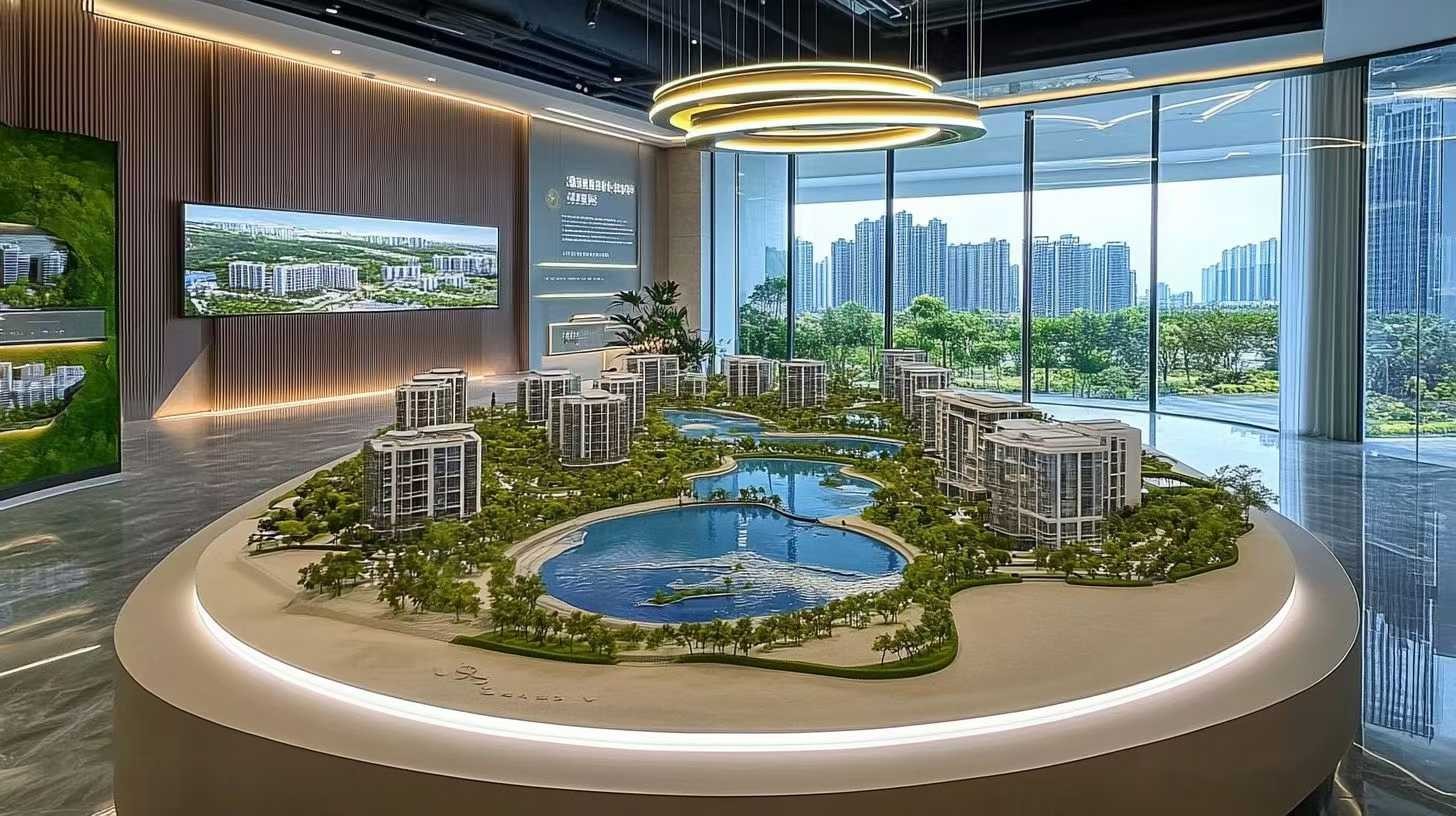
Let us break down what makes a model effective for facility planning.
Facilities by Type
Schools (elementary, middle, high) – distinct icons.
Hospitals and clinics – medical cross symbols.
Police stations – badge icons.
Fire stations – flame or truck symbols.
Libraries – book icons.
Community centers – gathering icons.
Parks and recreation – tree icons.
Post offices – envelope symbols.
Catchment Areas and Service Radii
Walking distance buffers (5, 10, 15 minutes).
Driving time contours (5, 10 minutes for emergency vehicles).
Overlaid as transparent colored zones.
Underserved Areas
Gaps in coverage highlighted in red or orange.
Priority zones for new facilities.
Population Density Context
Background heat map or color gradient showing where people live.
Facilities should be located near population.
Future Growth and Phasing
Planned facilities shown as outlines.
Phase 1, 2, 3 distinguished.
Interagency Coordination
School board, hospital district, fire department, library district – all on one model.
Interactivity
Removable catchment overlays.
LEDs to highlight underserved zones.
A well‑crafted Public Facility Planning Scale Model answers: “Does every resident have reasonable access to essential services?”
Materials for Public Facility Models
Facility models emphasize clarity of symbols and service areas.
Laser‑cut MDF or acrylic – For building massing blocks.
Colored acrylic sheets – For population density or zones.
Transparent vinyl overlays – For catchment areas.
Small acrylic or 3D printed icons – For facility symbols.
Printed vinyl – For labels and legends.
Fine sand or textured paint – For ground.
LEDs – For highlighting underserved areas (optional).
Avoid clutter – use simple, universally understood symbols.
The Custom Production Process: Step by Step
How is a public facility planning scale model made?
Here is the typical workflow.
Step 1: Facility and Demographic Data
You provide locations of all public facilities, population density maps, travel time data, and capital improvement plans.
The model maker calculates service gaps.
Step 2: Scale Selection
Common scales: 1:2,000 to 1:10,000.
1:2,000 for a detailed neighborhood analysis.
1:5,000 for a whole city.
Step 3: Base and Context
A reinforced base is cut.
Building footprints and roads added as light grey for orientation.
Step 4: Population Density (Optional)
Color gradient or heat map overlay showing where people live.
Step 5: Facility Icons
Each existing facility placed with its symbol.
Step 6: Catchment Overlays
Walking and driving buffers applied as transparent colored zones.
Step 7: Underserved Areas
Gaps in coverage highlighted in red.
Step 8: Future and Planned Facilities
Proposed facilities shown as outline symbols or dashed icons.
Step 9: Phasing
Phase 1, 2, 3 distinguished for new facilities.
Step 10: Interactivity
Removable catchment overlays for different modes (walk, drive, transit).
LEDs for underserved zones.
Step 11: Quality Control and Cover
The model is inspected for legibility.
A clear acrylic cover is recommended.
A custom Public Facility Planning Scale Model typically takes 8 to 12 weeks.
Applications for Public Facility Planning Models
Where are these models used?
Capital Improvement Program (CIP)
Prioritize new schools, fire stations, and libraries based on need.
School Boundary Planning
Adjust attendance zones to balance enrollment.
Emergency Response Planning
Ensure fire stations and police precincts meet response time standards.
Health Service Accessibility
Identify areas lacking primary care clinics.
Parks and Recreation Master Planning
Locate new parks in park‑poor neighborhoods.
Integration with Other Planning Models
A New Energy City Planning Scale Model might add EV charging at public facilities – your model shows the facility locations.
Case Study: Facility Model Leads to New Fire Station
A growing city of 80,000 had a fire station on the west side.
The east side was developing rapidly.
The fire department commissioned a Public Facility Planning Scale Model at 1:5,000 scale covering the whole city.
The model showed existing fire station coverage (4‑minute driving radius in green) and the east side gap (red).
At a city council meeting, the model made the need obvious.
A new fire station was approved.
Response times on the east side dropped from 9 minutes to 5 minutes.
The model cost $32,000.
Insurance premiums for east side businesses decreased.
Cost Factors for Public Facility Planning Models
Area covered – 20 sq km vs. 200 sq km.
Number of facility types – 3 vs. 10.
Catchment detail – Simple walking radius vs. multiple travel modes (walk, drive, transit).
Population density layer – Basic vs. detailed heat map.
Interactivity – Static vs. removable overlays and LEDs.
Typical range: 65,000 for a city‑wide model with multiple catchment scenarios.
How to Choose a Model Maker for Facility Projects
Experience with service planning or accessibility models – Not just land use.
Ability to create clear icons and catchment zones – Symbols must be intuitive.
Understanding of equity metrics – Walking distance standards.
References from school boards or city planning departments – Call two.
Ask for a sample of a model showing walking buffers around schools.
Maintaining and Updating Your Facility Model
Facility networks change as new buildings open.
Use removable facility icons – Add a new school when built.
Replaceable catchment overlays – Update when travel patterns change.
Annual review – Compare to new population data.
Budget for updates – Every 2‑3 years for major facility changes.
For a Historical City Protection Planning Model that includes public facilities in a heritage district, the same modular approach works.
Display Tips for Maximum Impact
In a Planning Department
Low pedestal with even lighting.
A legend showing facility symbols and catchment colors.
For Council Budget Hearings
Highlight underserved areas with red LEDs.
Show the impact of proposed new facilities.
For Public Workshops
Place the model on a rolling cart.
Provide stickers for residents to indicate where they need services.
Common Mistakes to Avoid
Do not forget walking distance.
A school 2 km away may be fine by car but too far for children to walk.
Do not ignore population density.
A facility in a low‑density area may serve few people.
Do not use the same color for different catchment modes.
Walking (green), driving (blue), transit (orange).
Do not make icons too small.
Older residents need to see facility symbols.
Do not skip a legend.
Without a legend, viewers cannot distinguish a fire station from a library.
Integrating with Other Planning Model Types
A public facility model works alongside specialized models for different sectors.
For a city planning renewable energy, a New Energy City Planning Scale Model might show solar panels on public buildings – your model provides the facility locations.
For heritage areas, a Historical City Protection Planning Model ensures that new facilities respect historic character – your model identifies sensitive zones.
For a polycentric region, an Urban Cluster Planning Sand Table Model shows facility distribution across multiple towns – your model provides local detail.
For a small city, a County Town Urban Planning Scale Model includes the county hospital and schools – your model adds catchment analysis.
For traffic, an Urban Traffic Planning Sand Table Model shows access roads to facilities – your model ensures emergency vehicles can reach them.
Each type adds depth. The public facility model is the equity tool for service delivery.
Future Trends in Public Facility Sand Table Models
Live wait times – LEDs show emergency room wait times at hospitals.
Augmented reality – Scan a school to see enrollment projections.
Modular demographic overlays – Swap age group data to plan senior centers vs. playgrounds.
Climate resilience – Show which facilities are in flood zones.
Yet the core remains.
Planners need to see who has access and who does not.
A physical model does that best.
Conclusion
A Public Facility Planning Scale Model is essential for equitable service delivery.
It reveals gaps, prioritizes investments, and builds public trust.
Focus on facility icons, catchment areas, and underserved zones.
Add population density for context.
Use the model in every CIP meeting.
Whether you are a city planner, school board member, or emergency services chief, invest in a facility model.
Your residents will have better access.
Your tax dollars will go further.
And remember – whether you need a New Energy City Planning Scale Model for green facilities, a Historical City Protection Planning Model for sensitive areas, an Urban Cluster Planning Sand Table Model for regional services, a County Town Urban Planning Scale Model for rural access, or an Urban Traffic Planning Sand Table Model for access roads, each relies on good facility placement. The dedicated public facility planning scale model is the map of community care.
Model your services. Serve every citizen.


