Mountain City Planning Scale Model Custom
Introduction
Mountain cities are breathtaking.
But they are also challenging.
Steep slopes, narrow valleys, avalanche paths, and landslide risks.
Digital maps flatten the terrain.
You need a physical model that captures every contour.
Specifically, a Mountain City Planning Scale Model.
This guide explains why mountain cities need dedicated models.
What features to include.
And how to use them for safe, scenic, and sustainable development.
Let us begin.
What Is a Mountain City Planning Scale Model?
It is a physical miniature of a city built on hillsides or in valleys.
The terrain is sculpted, not flat.
A Mountain City Planning Scale Model shows topography, building placements, roads, view corridors, and natural hazard zones.
Unlike a flatland city model, this one emphasizes slope gradients and sightlines.
A 30‑degree slope is visually obvious.
A view from a hillside neighborhood is represented.
The model is used by mountain planners, geotechnical engineers, and disaster management agencies.
Why Mountain Cities Need a Physical Scale Model
Flat digital screens hide the third dimension.
Steep slopes look gentle.
View corridors are invisible.
A Mountain City Planning Scale Model reveals the true terrain.
Planners see which slopes are too steep for construction.
They protect mountain views from being blocked by new towers.
Also, the model supports hazard mitigation.
Landslide zones, avalanche paths, and erosion risks are clearly marked.
Emergency evacuation routes follow the actual topography.
For public engagement, residents understand why certain areas cannot be developed.
Key Features of a Mountain City Planning Scale Model
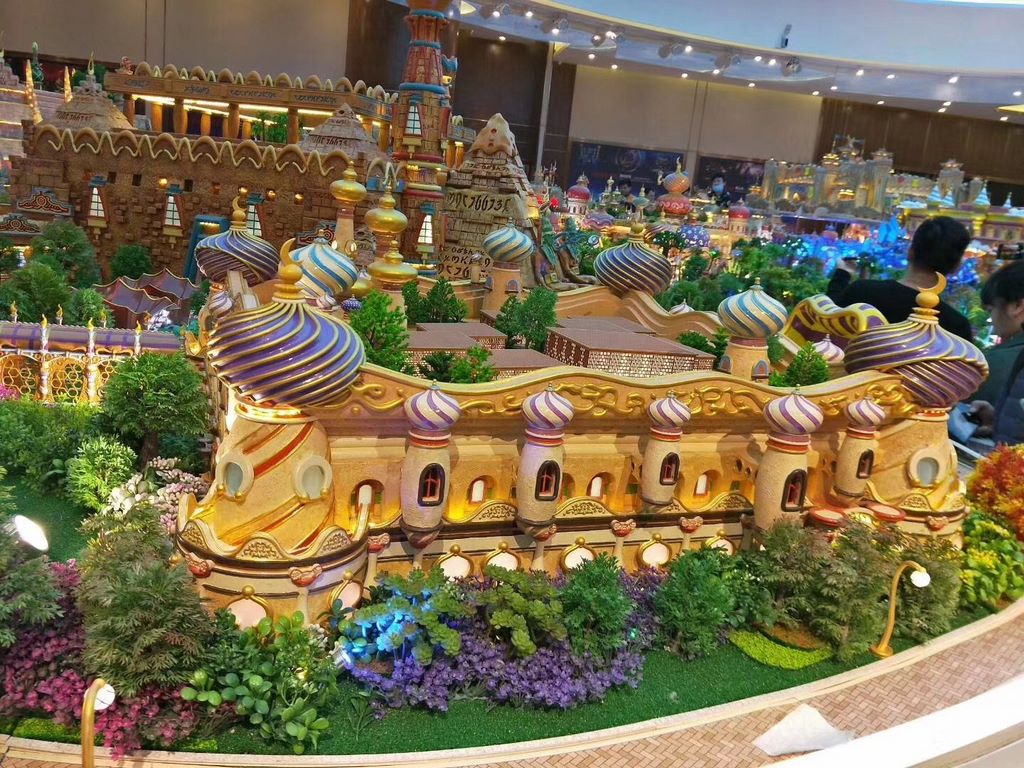
Let us break down what makes a model effective for mountain terrain.
Accurate Topography
Sculpted hills, valleys, ridges, and cliffs.
Contour lines or step‑layered terrain.
Slope gradients indicated with color or texture (e.g., green for gentle, red for steep).
Buildable vs. Constrained Land
Areas suitable for development (green), constrained slopes (yellow), hazardous zones (red).
Overlays or distinct colors.
View Corridors and Sightlines
Lines from scenic viewpoints to landmarks.
Shows where new buildings would block mountain views.
Hazard and Risk Zones
Landslide‑prone slopes, avalanche paths, rockfall areas, flood zones (in valleys).
Hatched patterns or translucent red overlays.
Transportation Networks
Switchback roads, tunnels, bridges, cable cars, funiculars.
Road gradients indicated with arrows.
Building Massing and Height Limits
Building heights restricted to preserve slopes and views.
Color‑coded by allowable height.
Green and Blue Infrastructure
Slope stabilization (retaining walls, terracing), drainage channels, erosion control.
Shown as structural elements.
Phasing and Growth
Areas of future development on flatter terrain.
Phased expansion uphill.
Interactive Features
Removable slope stability overlays.
LEDs highlighting scenic viewpoints.
A well‑crafted Mountain City Planning Scale Model answers: “Where can we build safely without destroying the views?”
Materials for Mountain City Models
Mountain models require terrain sculpting and durable base.
Sculptable foam or layered MDF – For terrain contours.
Fine sand or textured paint – For ground.
Colored acrylic sheets – For buildable zones and hazard overlays.
Blue resin – For rivers and drainage channels.
Small acrylic rods – For trees and view corridor markers.
Printed vinyl – For contour lines and hazard labels.
Micro LEDs – For highlighting scenic viewpoints (optional).
Avoid making slopes too fragile – use reinforced foam.
The Custom Production Process: Step by Step
How is a mountain city planning scale model made?
Here is the typical workflow.
Step 1: Topographic and Hazard Data
You provide LiDAR data, slope analysis maps, geological hazard assessments, and land use plans.
The model maker identifies buildable zones and view corridors.
Step 2: Scale Selection
Common scales: 1:2,000 to 1:10,000.
1:2,000 for a detailed hillside neighborhood.
1:5,000 for a whole mountain city.
Step 3: Terrain Sculpting
Foam is layered or CNC‑cut to match contour lines.
Valleys, ridges, and steep slopes are accurately reproduced.
Step 4: Hazard and Constraint Overlays
Landslide zones, avalanche paths, and flood areas added as colored overlays.
Step 5: Buildable Zones
Areas suitable for development colored green.
Slopes >30% marked as constrained (yellow or red).
Step 6: Roads and Infrastructure
Switchback roads, tunnels, and cable cars added.
Gradients indicated with arrows.
Step 7: View Corridors
Lines drawn from designated viewpoints.
Shows where building height must be limited.
Step 8: Building Massing
Buildings placed only in buildable zones.
Heights restricted to preserve view corridors.
Step 9: Drainage and Erosion Control
Channels and retaining walls added.
Step 10: Interactivity
Removable hazard overlays.
LEDs at scenic viewpoints.
Step 11: Quality Control and Cover
The model is inspected for terrain accuracy.
A clear acrylic cover is recommended to protect sculpted slopes.
A custom Mountain City Planning Scale Model typically takes 10 to 16 weeks.
Applications for Mountain City Models
Where are these models used?
Land Use and Zoning Planning
Determine which slopes can be developed.
Protect hazardous areas from construction.
View Corridor Protection
Identify where tall buildings would block mountain views.
Set height limits.
Hazard Mitigation and Disaster Preparedness
Map landslide and avalanche zones.
Plan evacuation routes.
Infrastructure Planning
Design roads that follow topography.
Locate tunnels and bridges.
Public Engagement and Community Workshops
Residents see why certain areas cannot be built.
They understand view protection.
Integration with Other Planning Model Types
A Satellite Town Planning Sand Table Model might show a new development on flatter land near the mountain – your model provides the topographic context.
Case Study: Mountain Model Prevents Landslide Disaster
A mountain city in South America had rapid informal settlement on steep slopes.
Geologists warned of landslide risk.
The city commissioned a Mountain City Planning Scale Model at 1:2,500 scale, covering a 2.5m x 2m area.
The model used red overlays for high‑hazard zones and yellow for moderate risk.
Using the model, planners identified 200 homes in red zones.
A relocation program was launched.
Two years later, a major landslide destroyed the red zone area – but all residents had been moved.
The model cost $40,000.
Lives saved: dozens.
Cost Factors for Mountain City Models
Area covered – 10 sq km vs. 100 sq km.
Topography complexity – Gentle hills vs. steep, rugged terrain.
Hazard layers – 2 zones vs. 5 zones (landslide, avalanche, rockfall, flood).
View corridor analysis – Basic vs. detailed sightlines from multiple viewpoints.
Interactivity – Static vs. removable hazard overlays.
Typical range: 85,000 for a large, highly detailed mountain city model with multiple hazard overlays and view corridor mapping.
How to Choose a Model Maker for Mountain Projects
Experience with topographic terrain models – Not just flat city models.
Ability to sculpt accurate slopes – Contours must be precise.
Understanding of hazard mapping – Landslide and avalanche zones.
References from mountain planning agencies – Call two.
Ask for a sample of a terrain model with steep slopes and hazard overlays.
Maintaining and Updating Your Mountain Model
Mountain terrain is stable, but hazard zones are updated with new data.
Use removable hazard overlays – Update landslide risk as studies improve.
Replaceable view corridor markers – Adjust if new buildings are approved.
Annual review – Compare to new geological surveys.
Budget for updates – Every 3‑5 years for major hazard map revisions.
For an Urban Green Space Planning Scale Model that includes slope stabilization through reforestation, the same modular overlay approach works.
Display Tips for Maximum Impact
In a Planning Department
Low table with even lighting.
Use a legend showing slope gradients and hazard colors.
For Public Hearings
Place the model on a rolling cart.
Provide laser pointers (non‑laser for safety).
Use removable hazard overlays to show “what if” scenarios.
In a Geotechnical Office
Keep the model accessible for daily hazard assessments.
Use a clear acrylic cover to protect sculpted slopes.
Common Mistakes to Avoid
Do not flatten the terrain.
A model that smooths slopes defeats the purpose.
Do not forget view corridors.
Mountain views are the city’s most valuable asset – protect them.
Do not ignore hazard zones.
A building permit in a landslide area is a disaster waiting to happen.
Do not make roads too straight.
Mountain roads are switchbacks – show them accurately.
Do not skip a legend.
Without a legend, no one knows what red (hazard) vs. green (buildable) means.
Integrating with Other Planning Model Types
A mountain city model works alongside specialized models for different systems.
For a new community on flatter terrain near the mountain, a Satellite Town Planning Sand Table Model plans housing – your model provides the mountain context and viewshed protection.
For green networks, an Urban Green Space Planning Scale Model adds slope stabilization forests and erosion control – your model includes those as overlay zones.
For city systems, a City Infrastructure Planning Sand Table Model coordinates roads and utilities – your model shows the topographic constraints those systems must follow.
For a transit connection, a High Speed Rail Station City Planning Model might locate a station in the valley – your model shows the mountain terrain above.
For a coastal city example, a Harbor City Urban Planning Sand Table Model is different (waterfront) – but the principle of terrain‑sensitive planning applies to both mountains and coasts.
Each type serves a different environment. The mountain city model is essential for high‑altitude urbanism.
Future Trends in Mountain City Sand Table Models
Live landslide monitoring – LEDs show real‑time slope movement from sensors.
Augmented reality – Scan a slope to see subsurface geology.
Modular hazard overlays – Swap in updated risk maps after earthquakes.
Climate change impacts – Show glacial melt and permafrost thaw affecting slopes.
Yet the core remains.
Mountain planners need to see the third dimension.
A physical model does that best.
Conclusion
A Mountain City Planning Scale Model is a life‑saving tool for high‑altitude urban development.
It reveals safe buildable land, protects priceless views, and prevents disasters.
Focus on accurate topography, hazard zones, and view corridors.
Use removable overlays for risk scenarios.
Update the model as new geological data arrives.
Whether you are a mountain planner, geotechnical engineer, or city official, invest in a mountain model.
Your residents will be safer.
Your city will keep its spectacular views.
And remember – whether you need a Satellite Town Planning Sand Table Model for a valley community, an Urban Green Space Planning Scale Model for slope forests, a City Infrastructure Planning Sand Table Model for mountain roads, a High Speed Rail Station City Planning Model for a valley station, or a Harbor City Urban Planning Sand Table Model for a coastal contrast, each has its place. But for the unique challenges of building on steep terrain, the dedicated mountain city planning scale model is irreplaceable.
Model your mountain. Build safely.


