Comprehensive Urban Planning Scale Model
Introduction
Cities are complex systems.
Land use, transport, utilities, environment, economy – all interact.
Planners often work in silos.
Transportation plans ignore green space.
Infrastructure projects miss land use goals.
You need a tool that shows everything together.
That tool is a Comprehensive Urban Planning Scale Model.
This guide explains why holistic models matter.
What features to include.
And how to use them for truly integrated city planning.
Let us begin.
What Is a Comprehensive Urban Planning Scale Model?
It is a physical miniature of a city that integrates all major planning domains.
Built on a sand‑textured base.
A Comprehensive Urban Planning Scale Model shows land use, transportation, infrastructure, green space, public facilities, phasing, and special districts in a single, readable display.
Unlike a sector‑specific model, this one does not separate.
Roads, pipes, parks, and buildings are all visible together.
The model is used by city planning departments, mayors’ offices, and regional authorities for high‑level visioning and coordination.
Why a Comprehensive Model Beats Sector‑Specific Models
Sector‑specific models have their place.
But they miss interactions.
A Comprehensive Urban Planning Scale Model reveals connections.
Planners see that a new transit line passes through a future park.
They notice that a proposed industrial zone lacks sewer capacity.
Also, a single comprehensive model saves money.
Instead of five separate models, you have one integrated tool.
For public engagement, residents do not need to understand different layers.
They see the whole city at once.
Key Features of a Comprehensive Urban Planning Scale Model
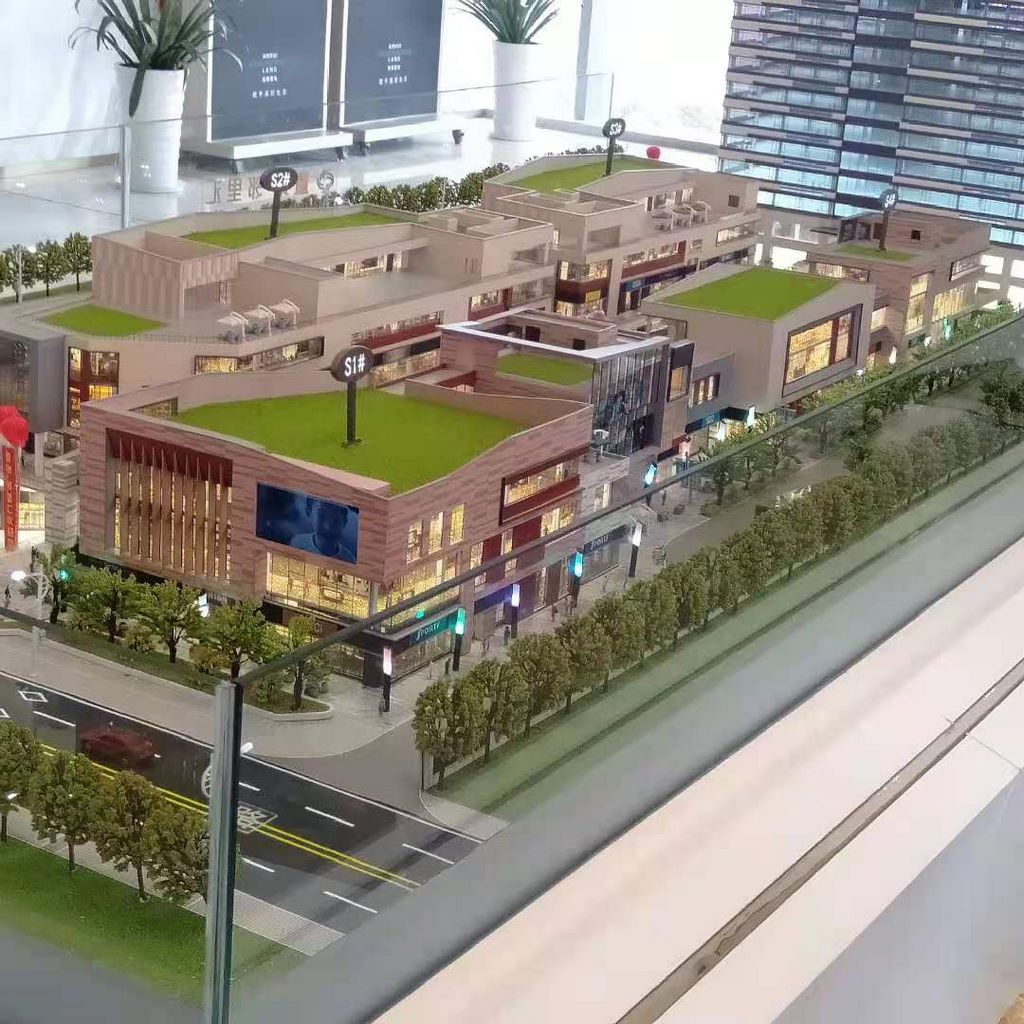
Let us break down what makes a model truly comprehensive.
Land Use Zoning (Base Layer)
Residential, commercial, industrial, mixed‑use, open space, institutional.
Standardized colors with a permanent legend.
Transportation Network
Arterial roads, collectors, local streets, transit (bus, rail, BRT), bike lanes, pedestrian paths.
Hierarchy shown by line thickness and color.
Infrastructure Corridors
Water (blue), sewer (brown), power (red), gas (yellow), telecom (orange).
Shown as color‑coded lines, often in a removable overlay to avoid clutter.
Green and Blue Infrastructure
Parks, greenways, urban forests, wetlands, rivers, lakes.
Connects to broader ecological goals.
Public Facilities and Services
Schools, hospitals, police/fire stations, libraries, community centers.
Icons or numbered labels.
Phasing and Growth Areas
Phase 1 (0‑5 years), Phase 2 (5‑10 years), Phase 3 (10‑20 years), long‑term reserve.
Distinct colors or hatch patterns.
Special Districts and Overlays
Historic preservation, economic zones, airport noise buffers, view corridors, hazard zones.
Transparent overlays.
Regional Context
Highways, rail lines, neighboring municipalities at the model edge.
Interactive Scenario Testing
Removable overlays for different land use or infrastructure scenarios.
LEDs to highlight transit or utility corridors.
QR codes linking to detailed data.
A well‑designed Comprehensive Urban Planning Scale Model answers: “How do all the pieces fit together to create a livable, resilient city?”
Materials for Comprehensive Models
Comprehensive models balance multiple layers.
Laser‑cut MDF or acrylic – For building massing blocks.
Colored acrylic sheets – For land use zones.
Fine sand or textured paint – For ground.
Printed vinyl – For labels, legends, and phasing overlays.
Blue resin – For water bodies.
Removable transparent overlays – For infrastructure and hazard layers.
Small icons – For public facilities.
LEDs – For highlighting corridors (optional).
Avoid clutter – use overlays to keep the base model readable.
The Custom Production Process: Step by Step
How is a comprehensive urban planning scale model made?
Here is the typical workflow.
Step 1: Cross‑Sector Data Compilation
You provide land use maps, transportation plans, infrastructure master plans, green space inventories, phasing schedules, and special district boundaries.
The model maker integrates all layers.
Step 2: Scale Selection
Common scales: 1:2,000 to 1:10,000.
1:2,000 for a detailed downtown.
1:5,000 for a medium‑sized city.
1:10,000 for a large metropolitan area.
Step 3: Base and Topography
A reinforced base is cut.
If the city has significant terrain, it is sculpted (referencing a Mountain City Planning Scale Modelwhere needed).
Step 4: Core Land Use and Transport
Land use zones applied first.
Road and transit networks added.
Step 5: Green and Blue Infrastructure
Parks, rivers, and wetlands added.
Step 6: Public Facilities
Icons for schools, hospitals, etc.
Step 7: Infrastructure Overlays (Removable)
Color‑coded utility lines on a transparent film.
Engineers can place the overlay for detailed review.
Step 8: Phasing and Special Overlays
Phase 1, 2, 3 boundaries.
Historic zones, view corridors, hazard areas as additional overlays.
Step 9: Interactivity
Removable scenario overlays.
LEDs for transit or utility corridors (optional).
Step 10: Quality Control and Cover
The model is inspected for legibility of all layers.
A low acrylic railing allows close viewing.
A custom Comprehensive Urban Planning Scale Model typically takes 12 to 16 weeks.
Applications for Comprehensive Models
Where are these models used?
High‑Level City Visioning
Mayors and council members see the integrated future.
Cross‑Departmental Coordination
Planning, transport, utilities, parks, and environment align.
Public Engagement and Open Houses
Residents see the whole plan, not just one sector.
Grant and Funding Applications
Demonstrate holistic benefits to state and federal agencies.
Scenario Testing
Compare “growth” vs. “conservation” scenarios.
Integration with Other Model Types
A High Speed Rail Station City Planning Model might be a key node – your comprehensive model shows the station in full city context.
Case Study: Comprehensive Model Aligns Five Departments
A regional capital city of 500,000 residents had separate plans for land use, transport, utilities, parks, and economic development.
Conflicts were common.
They commissioned a Comprehensive Urban Planning Scale Model at 1:7,000 scale, covering a 3m x 3m table.
The model integrated all five sectors using color‑coded base layers and removable overlays.
In a series of workshops, department heads stood around the model.
They resolved a conflict between a planned highway extension and a proposed wetland park.
They aligned a new transit line with a future affordable housing zone.
The comprehensive plan was adopted unanimously.
The model cost 20 million.
Cost Factors for Comprehensive Models
Area covered – 50 sq km vs. 500 sq km.
Number of integrated sectors – 3 vs. 10.
Scale – 1:2,000 (more detail) costs more than 1:10,000.
Interactivity – Static vs. multiple removable overlays and LEDs.
Typical range: 150,000 for a large metropolitan model with full sector integration and interactive scenario tools.
How to Choose a Model Maker for Comprehensive Projects
Experience with multi‑sector integration – Not just single‑layer models.
Ability to design layered overlays – Removable films for infrastructure, hazards, etc.
Understanding of planning terminology across sectors – Land use, transport, utilities, environment.
References from city planning departments – Call two.
Ask for a sample of a model with three layers (base, overlay 1, overlay 2) that align perfectly.
Maintaining and Updating Your Comprehensive Model
Comprehensive plans are updated every 5‑10 years.
Use removable sector overlays – Update infrastructure or green space layers independently.
Replaceable phasing stickers – Adjust phase boundaries.
Annual review – Compare to current plan amendments.
Budget for major update – Every 5‑10 years for comprehensive plan revision.
For a Harbor City Urban Planning Sand Table Model that is part of a coastal comprehensive plan, the same layered update approach works.
Display Tips for Maximum Impact
In a Mayor’s Office or Council Chamber
Low pedestal with even, shadow‑free lighting.
A legend panel mounted nearby.
For Cross‑Departmental Workshops
Place the model on a large rolling cart.
Provide removable overlays for each sector.
For Public Open Houses
Use a simple base layer (land use + transport) to avoid overwhelming residents.
Keep infrastructure overlays separate.
Common Mistakes to Avoid
Do not try to show every detail at once.
Use overlays to reveal layers as needed.
Do not forget to standardize colors.
Land use, transport, and utilities must follow widely understood conventions.
Do not neglect the legend.
A comprehensive model needs a detailed legend panel.
Do not make it too expensive.
A comprehensive model does not need 3D printed trees – focus on systems.
Do not ignore the human scale.
Add a few pedestrian figures to remind viewers that cities are for people.
Integrating with Other Planning Model Types
A comprehensive urban planning model is the highest level of integration.
Specialized models add depth.
For terrain‑sensitive cities, a Mountain City Planning Scale Model provides detailed slope and hazard analysis – your comprehensive model shows the broad land use, while the mountain model informs overlays.
For detailed land use and phasing, an Urban Master Planning Sand Table Model is similar – your comprehensive model may be the same physical object, just with additional infrastructure and environment layers.
For utility coordination, a City Infrastructure Planning Sand Table Model zooms in on water and power – your comprehensive model shows how utilities align with land use.
For a transit node, a High Speed Rail Station City Planning Model adds station‑area detail – your comprehensive model shows the station in regional context.
For coastal cities, a Harbor City Urban Planning Sand Table Model adds port and waterfront detail – your comprehensive model integrates harbor land uses with inland areas.
Each specialized model adds depth to the comprehensive framework.
Future Trends in Comprehensive Urban Planning Sand Table Models
Live data integration – LEDs show real‑time traffic, air quality, or development progress.
Augmented reality – Scan any zone to see detailed sector plans.
Modular sector overlays – Swap in different scenarios for climate, growth, or infrastructure.
Sustainable materials – Recycled acrylic and biodegradable overlays.
Yet the core remains.
A comprehensive city plan must be seen as a whole.
A physical model does that best.
Conclusion
A Comprehensive Urban Planning Scale Model is the ultimate tool for integrated city planning.
It breaks down silos, reveals connections, and builds consensus.
Focus on layered readability, standardized colors, and removable overlays.
Use the model in every cross‑departmental meeting and public hearing.
Update it as the plan evolves.
Whether you are a city planner, mayor, or consultant, invest in a comprehensive model.
Your departments will align.
Your citizens will understand.
Your city will function as one system.
And remember – whether you need a Mountain City Planning Scale Model for terrain, an Urban Master Planning Sand Table Model for land use, a City Infrastructure Planning Sand Table Modelfor utilities, a High Speed Rail Station City Planning Model for transit hubs, or a Harbor City Urban Planning Sand Table Model for waterfront, all are chapters in the comprehensive story. The comprehensive urban planning scale model is the entire book.
Model the whole city. Build an integrated future.


